S3 Vectors: 10,000 Results per Query (June 2026)
Quick summary: On June 16, 2026, S3 Vectors raised the QueryVectors limit to 10,000 results per query and cut data-processed charges up to 80% on indexes over 10M vectors. Architecture, pagination, and cost comparison vs OpenSearch and MemoryDB.
Key Takeaways
- On June 16, 2026, S3 Vectors raised the QueryVectors limit to 10,000 results per query and cut data-processed charges up to 80% on indexes over 10M vectors
- Together, these changes make S3 Vectors viable for multi-stage retrieval pipelines that were previously forced onto OpenSearch Serverless or custom sharding workarounds
- GenAI engineers running rerank-and-dedup pipelines who were blocked by the old 100-result ceiling when fetching wide candidate pools before a cross-encoder pass
- FinOps and engineering leads watching vector query line items on corpora above 10M vectors — the June pricing reduction applies without a migration project
- Amazon S3 Vectors adds a native vector storage primitive to S3 — a vector bucket with approximate nearest-neighbor query support
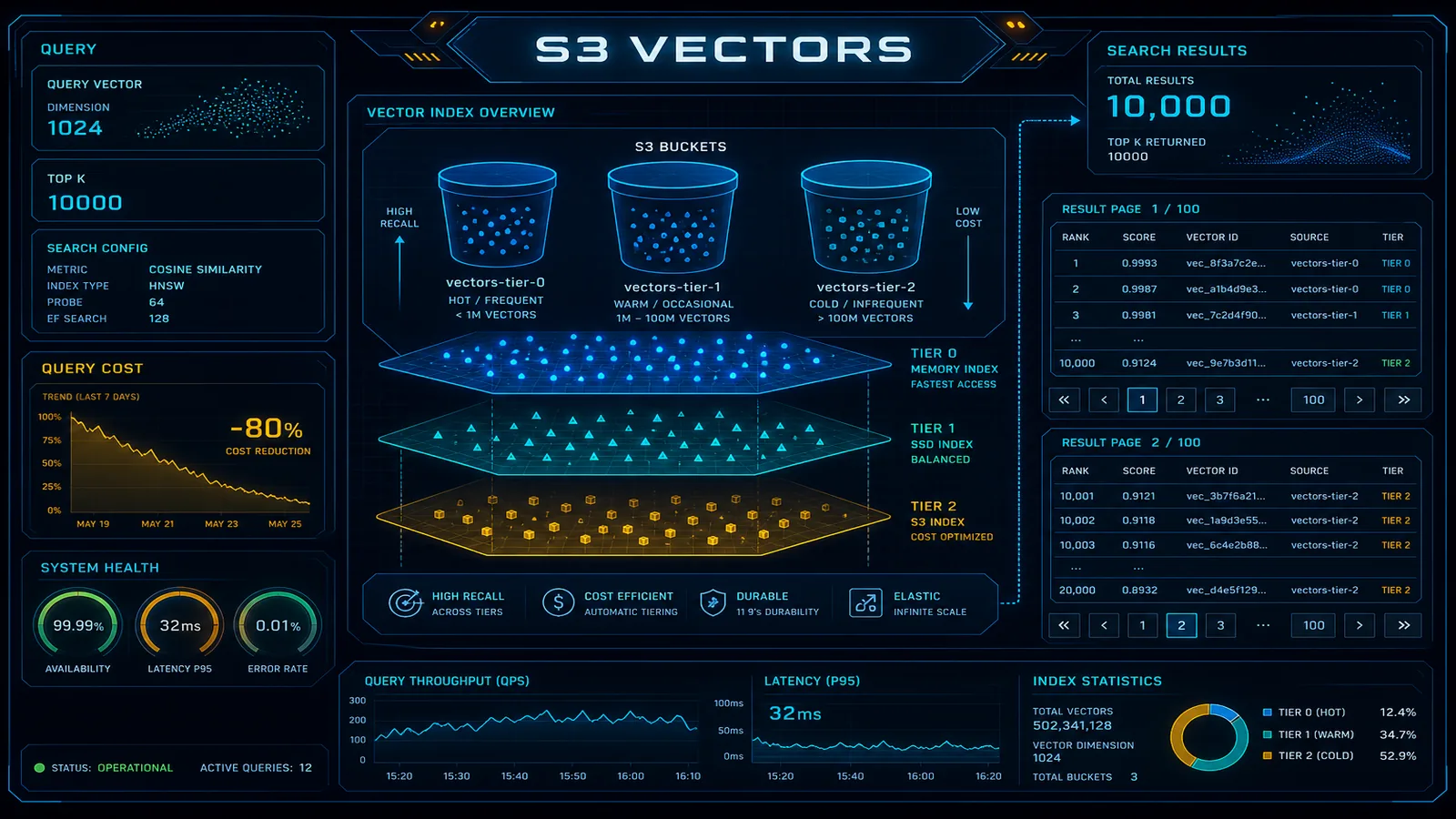
Table of Contents
On June 16, 2026, AWS shipped two S3 Vectors updates on the same day: QueryVectors now returns up to 10,000 similarity search results per query (100× the prior 100-result cap), and query data-processed charges drop up to 80% on indexes with more than 10 million vectors — automatically, with no application changes. Together, these changes make S3 Vectors viable for multi-stage retrieval pipelines that were previously forced onto OpenSearch Serverless or custom sharding workarounds.
This post is for three audiences:
- Platform and ML architects building Bedrock RAG who want to avoid provisioning a dedicated vector database when query volume is moderate and latency tolerance is hundreds of milliseconds, not single digits.
- GenAI engineers running rerank-and-dedup pipelines who were blocked by the old 100-result ceiling when fetching wide candidate pools before a cross-encoder pass.
- FinOps and engineering leads watching vector query line items on corpora above 10M vectors — the June pricing reduction applies without a migration project.
Amazon S3 Vectors adds a native vector storage primitive to S3 — a vector bucket with approximate nearest-neighbor query support. No separate cluster to provision. No OCU minimum. Pricing is per GB stored and per query, not per compute unit. This guide covers the architecture, the June 2026 query changes, trade-offs versus OpenSearch Serverless and MemoryDB, pipeline patterns with pagination, and cost math at scale.
June 2026: 10,000 Results and Cheaper Queries on Large Indexes
What changed on June 16, 2026
Higher result limit. QueryVectors accepts topK up to 10,000 nearest neighbors. Before this release, the cap was 100 — enough for chat RAG (topK=5) but not for legal search, enterprise knowledge bases with aggressive deduplication, or ColBERT-style multi-vector retrieval where you need hundreds of candidates before reranking.
Paginated responses. Large result sets return across multiple pages. The response includes a nextToken when more results remain; pass it on the next QueryVectors call to continue. You can process the first page while fetching subsequent pages — useful for streaming rerankers that score candidates as they arrive.
Data-returned pricing. Queries that return substantial payload now incur a data-returned fee based on total bytes returned across all pages. The first 512 KB per query is free; beyond that, AWS bills per the S3 pricing page. Metadata-only wide recall (returnMetadata=True, no chunk text) stays inside the free tier longer than returnData=True at high topK.
Automatic query cost reduction on large indexes. For vector indexes with more than 10 million vectors, AWS reduced data-processed charges by up to 80%. No SDK upgrade required for this piece — it applies at billing time. AWS still recommends distributing vectors across multiple indexes for query performance at scale; cheaper queries do not remove the latency argument for index sharding.
Our recommendation
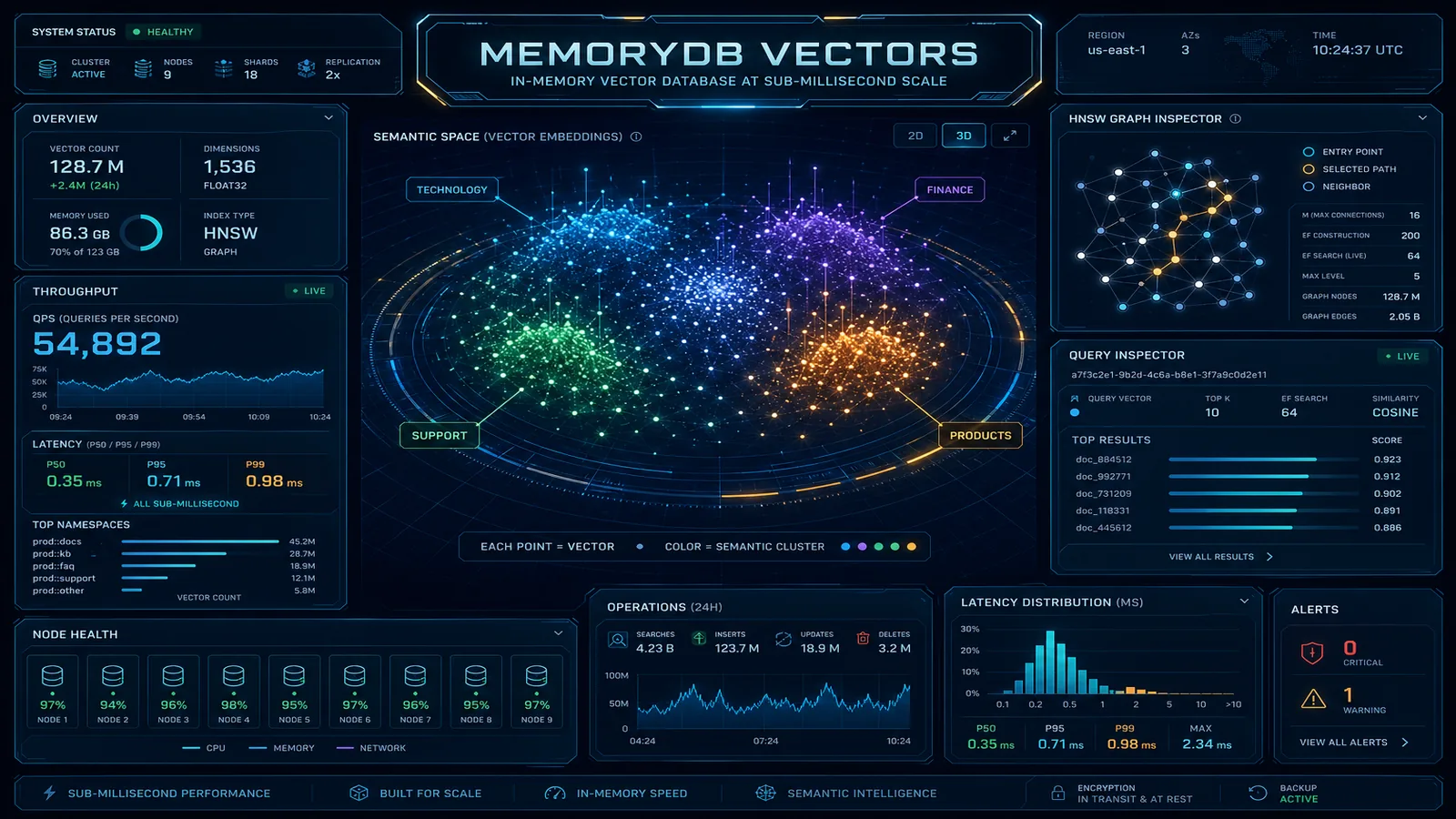
We recommend S3 Vectors plus client-side rerank over provisioning OpenSearch Serverless OCUs when your p99 retrieval budget is 50–200ms, query volume is below ~500 QPM, and you need wide candidate pools (topK in the hundreds, not five). OpenSearch Serverless wins when you need hybrid BM25+vector search in one engine, sustained high QPS, or sub-20ms p99. MemoryDB wins when agent tool loops need sub-5ms retrieval or session-scoped vectors that change every few seconds.
S3 Vectors Architecture
S3 Vectors introduces two constructs: the vector bucket and the vector object.
A vector bucket is a dedicated S3 bucket type for vector storage — a distinct resource with its own API. Vector buckets support a defined embedding dimension (fixed at creation), a distance metric (cosine similarity, dot product, or Euclidean L2), and an index type.
A vector object is a single stored vector with associated metadata:
- Vector ID: a string key, analogous to an S3 object key
- Embedding: a float32 array matching the bucket’s configured dimension
- Metadata: JSON key-value pairs for filtering
- Payload: optional binary data (raw document text, source URL, application-specific bytes)
Index types:
- HNSW (Hierarchical Navigable Small World): approximate nearest-neighbor with configurable
ef_constructionandmparameters. Default for almost all production use cases. - FLAT: exact k-NN search. O(n) with corpus size — only for corpora under 100K vectors where exact results are required.
Creating a vector bucket and inserting vectors — boto3 with s3vectors client, us-east-1, June 2026 API:
import boto3

s3vectors = boto3.client('s3vectors', region_name='us-east-1')

s3vectors.create_vector_bucket(
    vectorBucketName='enterprise-knowledge-vectors',
    vectorBucketConfiguration={
        'indexConfig': {
            'hnsw': {
                'dimensions': 1024,
                'distanceMetric': 'cosine',
                'efConstruction': 512,
                'm': 16
            }
        }
    }
)

# Store vectors in batch (up to 500 per call)
s3vectors.put_vectors(
    vectorBucketName='enterprise-knowledge-vectors',
    vectors=[
        {
            'key': 'doc_001_chunk_0',
            'data': {'float32': [0.0234, -0.1872, 0.4451]},  # 1024 floats in production
            'metadata': {
                'document_id': 'doc_001',
                'source': 's3://company-docs/policies/expense-policy.pdf',
                'chunk_index': 0,
                'document_type': 'policy',
                'department': 'finance',
                'last_updated': '2026-03-15'
            }
        },
    ]
)
Querying vectors with pagination — boto3 ≥1.40 with S3 Vectors pagination, indexName required per current API:
# Single-page query (topK <= one page; fine for chat RAG at topK=10)
response = s3vectors.query_vectors(
    vectorBucketName='enterprise-knowledge-vectors',
    indexName='knowledge-index',
    queryVector={'float32': [0.0891, -0.2341, 0.3892]},  # 1024 dims in production
    topK=10,
    filter={
        'metadata': {
            'department': {'$eq': 'finance'},
            'document_type': {'$in': ['policy', 'guideline']}
        }
    },
    returnMetadata=True,
    returnDistance=True
)

for result in response['vectors']:
    print(f"Key: {result['key']}, Distance: {result.get('distance')}")
The metadata filter runs before the ANN search. Filtering first reduces the search space, which improves relevance and can affect query latency depending on filter selectivity.
Multi-Stage Retrieval: Designing for topK up to 10,000
The June 2026 limit exists for multi-stage retrieval, not for feeding more chunks directly to an LLM. The standard pattern:
- Wide recall —
QueryVectorswithtopK=200–500(or higher when justified), metadata filters,returnMetadata=True,returnData=False - Rerank — cross-encoder or lightweight model scores the candidate list down to 20–50
- Dedup — group by
document_id, keep highest score per document - Generate — pass top 5 chunks to the LLM
When not to use high topK:
- Interactive chat RAG where five chunks suffice — stay at
topK=5–15 - Agent tool loops with tight latency SLOs — use MemoryDB or cache hot queries
- Pipelines that return full chunk text for thousands of vectors — data-returned fees accumulate past the 512 KB free tier
Paginated wide recall — boto3 with s3vectors client, us-east-1, June 2026 nextToken pagination:
def query_vectors_paginated(
    s3vectors_client,
    bucket: str,
    index: str,
    query_embedding: list[float],
    top_k: int = 500,
    metadata_filter: dict | None = None,
) -> list[dict]:
    """Fetch up to top_k results across paginated QueryVectors pages."""
    collected: list[dict] = []
    next_token = None

    while len(collected) < top_k:
        params = {
            'vectorBucketName': bucket,
            'indexName': index,
            'queryVector': {'float32': query_embedding},
            'topK': top_k,
            'returnMetadata': True,
            'returnDistance': True,
        }
        if metadata_filter:
            params['filter'] = {'metadata': metadata_filter}
        if next_token:
            params['nextToken'] = next_token

        response = s3vectors_client.query_vectors(**params)
        collected.extend(response.get('vectors', []))
        next_token = response.get('nextToken')
        if not next_token:
            break

    return collected[:top_k]
Process the first page inside the loop before awaiting the next — a reranker can start scoring while pagination continues. See the S3 Vectors query guide for filter syntax and recall testing guidance.
What broke — A team raised
topKfrom 100 to 2,000 after the June release to feed a cross-encoder reranker, keptreturnData=True, and loaded all pages into memory in one synchronous call. Lambda hit OOM at 1,024 MB; Cost Explorer showed a new data-returned line item the following week. Fix: paginate with streaming rerank (score each page before fetching the next), setreturnData=Falseon the wide pass, and callGetVectorsonly for the top 20 after reranking.
S3 Vectors vs. OpenSearch Serverless vs. MemoryDB
The right vector store depends on latency requirement, query volume, hybrid search needs, and whether you need wide recall without a separate database.
| Dimension | S3 Vectors | OpenSearch Serverless | MemoryDB with Vector Search |
|---|---|---|---|
| Query latency (P50) | 50–200ms | 5–20ms | under 5ms (in-memory) |
| Query latency (P99) | 200–800ms | 20–50ms | 10–20ms |
| Max topK per query (June 2026) | 10,000 (paginated) | Index-dependent (typically higher) | Index-dependent |
| Minimum monthly cost | ~$0 (pay per use) | ~$700 (2 OCU minimum) | ~$200 (1 node) |
| Cost at 10M vectors, 1K QPM | ~$15–30/month | ~$700–1,000/month | ~$400–600/month |
| Hybrid search (vector + BM25) | No | Yes (k-NN + BM25 together) | No |
| Real-time vector updates | Yes (eventual consistency) | Yes (near-real-time) | Yes (immediate, in-memory) |
| Metadata filtering | Yes (pre-filter) | Yes (pre and post-filter) | Yes (pre-filter) |
| Bedrock Knowledge Bases integration | Yes (native) | Yes (native) | Yes (native) |
| Best fit | Cost-sensitive RAG, wide recall + rerank, moderate QPS | Hybrid search, high QPS, existing OpenSearch investment | Real-time RAG, agent loops, under 5ms required |
For a RAG chatbot, end-to-end latency includes embedding generation (100–300ms for Bedrock Titan Embeddings v2), vector retrieval, and model generation (1–5 seconds). A 100ms versus 10ms retrieval difference is perceptible but rarely decisive in a 1.5–6 second total response. Cost and operational surface area usually decide.
Where OpenSearch Serverless wins: hybrid BM25+vector search, sustained QPS above ~500/minute, teams with existing OpenSearch investment.
Where MemoryDB wins: sub-5ms retrieval, session-scoped vectors that change rapidly, transactional consistency with Redis keyspace data.
RAG Pipeline with S3 Vectors
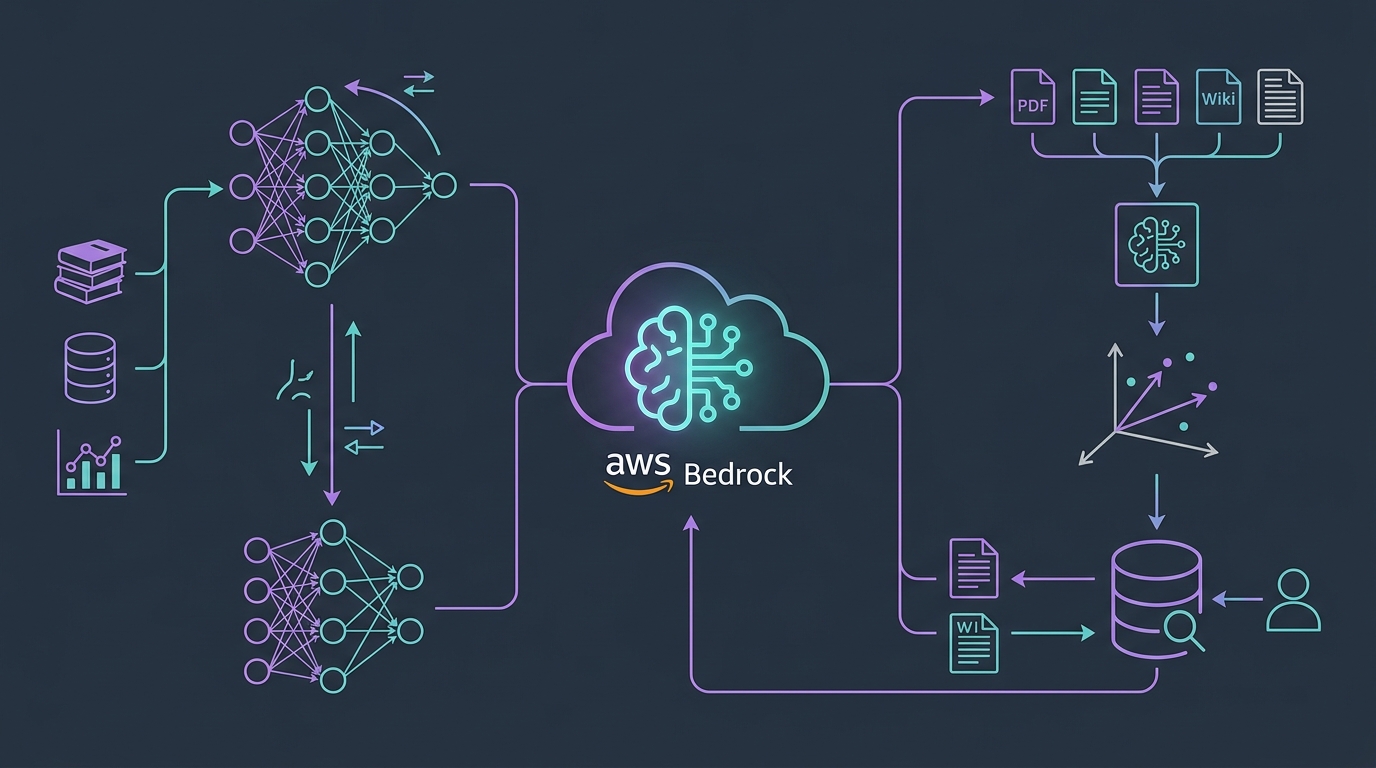
End-to-end chat RAG — boto3 Bedrock Runtime + s3vectors, us-east-1, Titan Embeddings v2, Claude 3.5 Sonnet:
import boto3
import json
from typing import Optional

bedrock_runtime = boto3.client('bedrock-runtime', region_name='us-east-1')
s3vectors = boto3.client('s3vectors', region_name='us-east-1')

VECTOR_BUCKET = 'enterprise-knowledge-vectors'
VECTOR_INDEX = 'knowledge-index'
EMBEDDING_MODEL = 'amazon.titan-embed-text-v2:0'
GENERATION_MODEL = 'anthropic.claude-3-5-sonnet-20241022-v2:0'

def generate_embedding(text: str) -> list[float]:
    response = bedrock_runtime.invoke_model(
        modelId=EMBEDDING_MODEL,
        body=json.dumps({'inputText': text, 'dimensions': 1024, 'normalize': True})
    )
    return json.loads(response['body'].read())['embedding']

def retrieve_context(
    query: str,
    top_k: int = 5,
    metadata_filter: Optional[dict] = None
) -> list[dict]:
    query_embedding = generate_embedding(query)
    params = {
        'vectorBucketName': VECTOR_BUCKET,
        'indexName': VECTOR_INDEX,
        'queryVector': {'float32': query_embedding},
        'topK': top_k,
        'returnMetadata': True,
        'returnDistance': True,
    }
    if metadata_filter:
        params['filter'] = {'metadata': metadata_filter}

    response = s3vectors.query_vectors(**params)
    return [
        {
            'source': r['metadata'].get('source', 'unknown'),
            'score': r.get('distance'),
            'document_id': r['metadata'].get('document_id'),
            'key': r['key'],
        }
        for r in response['vectors']
    ]

def rag_query(user_question: str, metadata_filter: Optional[dict] = None) -> str:
    context_chunks = retrieve_context(user_question, top_k=5, metadata_filter=metadata_filter)
    context_text = '\n\n'.join(
        f"[Source: {c['source']}]\nKey: {c['key']}"
        for c in context_chunks
    )
    prompt = f"""Answer based on context. If insufficient, say so.

Context:
{context_text}

Question: {user_question}"""

    response = bedrock_runtime.invoke_model(
        modelId=GENERATION_MODEL,
        body=json.dumps({
            'anthropic_version': 'bedrock-2023-05-31',
            'max_tokens': 1024,
            'messages': [{'role': 'user', 'content': prompt}]
        })
    )
    return json.loads(response['body'].read())['content'][0]['text']
For ingestion, the standard pattern uses a Lambda triggered by S3 Object Created events: chunk documents into 512–1,024 token segments with 10% overlap, embed via Bedrock Titan, PutVectors in batches of 500.
Performance Characteristics
S3 Vectors query latency splits into network round-trip (~10–20ms in-region) and index search time (40–180ms depending on corpus size and HNSW parameters).
At 10M vectors with default HNSW parameters, expect P50 around 80ms and P99 around 250ms. At 100M vectors, P50 around 130ms and P99 around 400ms. High topK and pagination add round-trips — budget extra latency for wide recall passes.
Metadata filter impact: Aggressive pre-filters on large corpora can paradoxically increase HNSW latency. Request a buffer (topK=15 when you need 5) and filter post-retrieval by score threshold.
Throughput: Up to 500 PutVectors/second and 200 QueryVectors/second per bucket, with burst headroom. Shard across buckets by document ID hash when approaching limits.
Eventual consistency: PutVectors propagates in 1–5 seconds. Real-time ingest-and-query within seconds needs MemoryDB.
Cost Comparison at Scale
S3 Vectors pricing: storage (per GB/month) plus query charges (data processed per query, plus data-returned fees for large payloads after June 2026). A 1024-dimension float32 vector occupies ~4KB including metadata.
Illustrative workload (not a client engagement): 25M vectors, 500K queries/month, multi-stage pipeline with topK=500 metadata-only wide recall, then rerank to 5 chunks. Storage: 25M × 4KB ≈ 100GB ≈ $100/mo. Query data-processed charges benefit from the June 2026 up to 80% reduction on indexes above 10M vectors. Data-returned fees stay minimal if wide recall uses returnMetadata=True only — well under the 512 KB free tier per query for metadata keys and scores.
| Service | Storage (25M vectors) | Query / compute | Notes |
|---|---|---|---|
| S3 Vectors | ~$100 (100GB) | Pay per query | 80% data-processed reduction applies (>10M) |
| OpenSearch Serverless | Included in OCU | ~$1,400+ (4+ OCUs) | 2-OCU minimum even when idle |
| MemoryDB | ~$900 (2× r6g.2xlarge) | Included in instance | Impractical at 25M+ vectors on memory cost |
Cost at 10M vectors, 100K queries/month (chat RAG, topK=5):
| Service | Storage Cost | Query Cost | Total/Month |
|---|---|---|---|
| S3 Vectors | ~$40 (40GB) | ~$5 (100K queries) | ~$45 |
| OpenSearch Serverless | ~$700 (2 OCU minimum) | Included in OCU | ~$700 |
| MemoryDB (r6g.large) | ~$200 (instance) | Included | ~$200 |
OpenSearch becomes cost-competitive at high sustained QPS with hybrid search — typically 500+ queries/minute with keyword+vector mixed queries. Below that, S3 Vectors is materially cheaper at most corpus sizes, and the June 2026 pricing change widens the gap on indexes above 10M vectors. Model inference costs often dominate the bill — use our Bedrock token cost calculator to stress-test embedding and generation spend alongside vector storage.
What to Do This Week
- Audit
topKin custom QueryVectors calls — identify pipelines that shard queries or work around the old 100-result cap; consolidate into paginated single queries where appropriate. - Upgrade AWS SDKs — boto3, AWS CLI, and language SDKs need June 2026 S3 Vectors pagination support for
nextTokenhandling. - Add pagination to wide-recall paths — process page 1 while fetching page 2; do not buffer 10,000 full payloads in Lambda memory.
- Set
returnData=Falseon wide recall — fetch chunk text only for post-rerank top-N viaGetVectorsor a second narrow query. - Re-run recall@k benchmarks — validate that wider topK improves reranked quality on your corpus before paying for larger result sets.
- Review Cost Explorer — check S3 Vectors data-processed and data-returned line items after the June 16 effective date; confirm the large-index discount on indexes above 10M vectors.
What This Post Doesn’t Cover
- HIPAA scope confirmation for S3 Vectors in regulated workloads — verify current AWS compliance documentation before storing PHI embeddings.
- Bedrock Knowledge Base migration step-by-step from OpenSearch to S3 Vectors — see the FAQ above for the re-ingestion path; a dedicated migration runbook is a separate post.
- Hybrid lexical + vector search — S3 Vectors does not replace OpenSearch BM25; see Amazon OpenSearch Service Architecture Patterns and Cost Optimization.
- Index sharding strategy for billion-vector corpora — AWS recommends multiple indexes for performance; this post covers economics and API limits, not a full sharding design.
For Bedrock Knowledge Base RAG patterns, see How to Build a RAG Pipeline with Amazon Bedrock Knowledge Bases. For MemoryDB (real-time retrieval), see Amazon MemoryDB Vector Search for AI Workloads. For the broader 2026 AWS AI landscape, see the Top 20 AWS AI Services guide.
Need help choosing between S3 Vectors, OpenSearch Serverless, and MemoryDB for your RAG architecture? FactualMinds designs vector storage strategies that balance latency, cost, and operational complexity — and we can run the cost model against your corpus size and query volume. Reach out to scope an architecture review.
Related reading
AWS Cloud Architect & AI Expert
AWS-certified cloud architect and AI expert with deep expertise in cloud migrations, cost optimization, and generative AI on AWS.